Journal14 min read
AI Video Generator vs Video Production Company: Which Is Better in 2026?
Which is better, an AI video generator or a video production company? Use a generator for low-stakes video and a team for customer-facing work.
- Published
- Updated
- Written by
- AllCapStudio

Video production no longer means choosing between hiring a full crew and doing everything yourself. AI video generators can create product clips, ads, explainers and social videos in minutes, while production teams still bring creative judgment, direction, authentic performances and control over every detail.
Three cases show how the answer changes with the video. A quick social ad may not justify days of filming and editing. A founder-led brand film falls flat if it feels synthetic. A product demo gains nothing from speed if the generated clip misrepresents the interface.
So which is better, an AI video generator or a real production bench, where a producer casts specialists for each project? The answer depends on what you're making, how much control you need, how fast it has to ship and what a mistake would cost your brand. In short, a generator suits fast, low-stakes video, and a production team suits work that carries your brand in front of customers.
What Is an AI Video Generator?
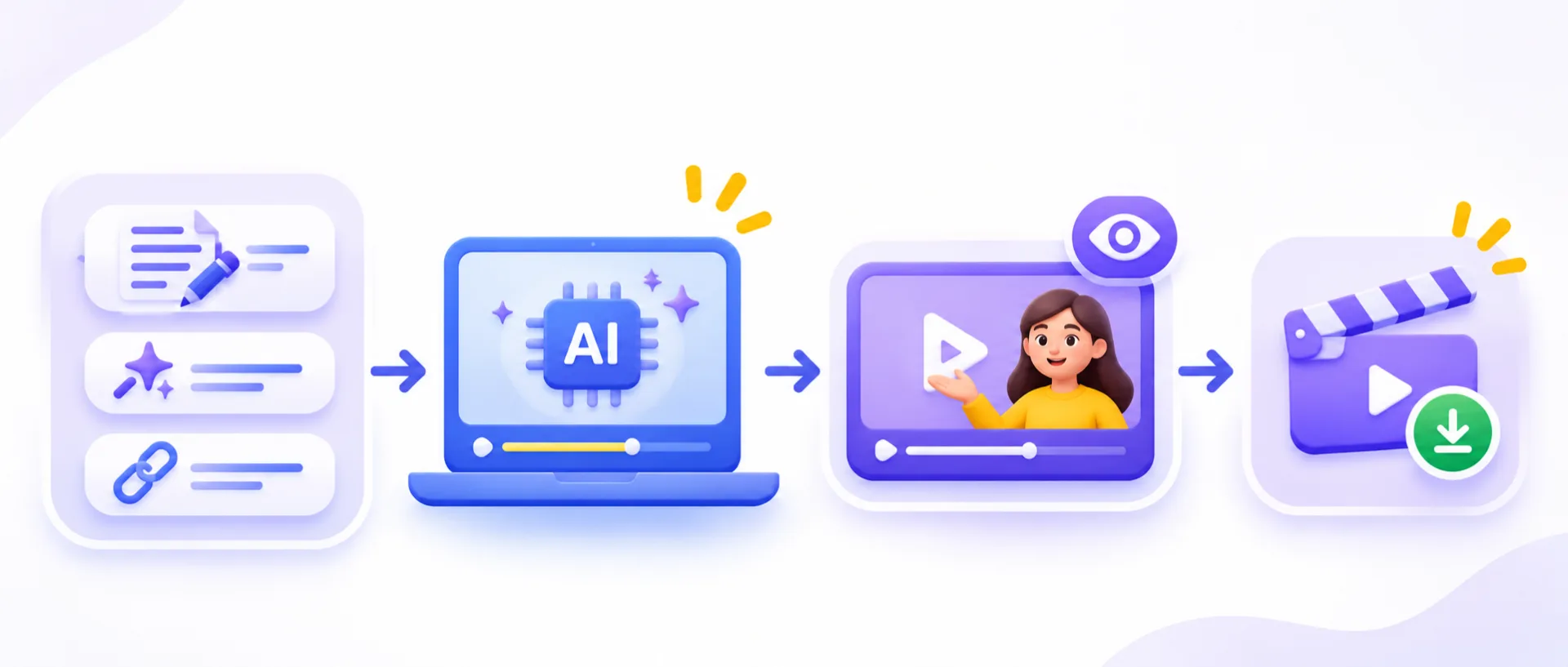
An AI video generator is a platform you operate yourself. You supply a script, a prompt or a URL, the model renders footage or an avatar performance from it, and you review and export the result. Every decision after that, from the brief to the brand fit to the fifth revision, is yours to make and yours to catch.
How AI Video Generators Work
Every generator in this category runs the same sequence.
Input: You supply a script, a text prompt, a URL or a reference image, depending on the tool.
Generation: A model renders the footage, avatar performance or animated scene, usually in minutes.
Review: You judge the output against the brief yourself, since no producer or director is in the loop.
Export or re-generate: A usable clip gets downloaded, and a miss gets re-prompted, which draws on your credits or minutes again on most plans.
5 AI Video Generators Compared
These five take different routes to the same output, and the route decides where each one fits.
Generator | Approach | What you provide | What you get | Where it fits |
|---|---|---|---|---|
Avatar presenter | A script | A presenter-led video with a stock or personally trained avatar | Narration-led training and onboarding | |
Avatar presenter with translation | A script and target languages | Presenter-led video across 175-plus languages | Localized narration-led video | |
Agent-built | A description given to your AI agent | Scenes the agent builds and edits, including real footage | Product demos, launch videos and tutorials | |
Stock-matched | A script, blog post or URL | Scenes matched to licensed stock footage | Social cuts from written content | |
Prompt-built | A written prompt | A narrated video | Fast first drafts from an idea |
CoAnimator sits closest to agentic video editing, where an agent such as Claude Code, Codex or Gemini builds and edits the video from your description.
None of the five decides whether your argument is right, so the review step stays with you.
What Is a Video Production Company?
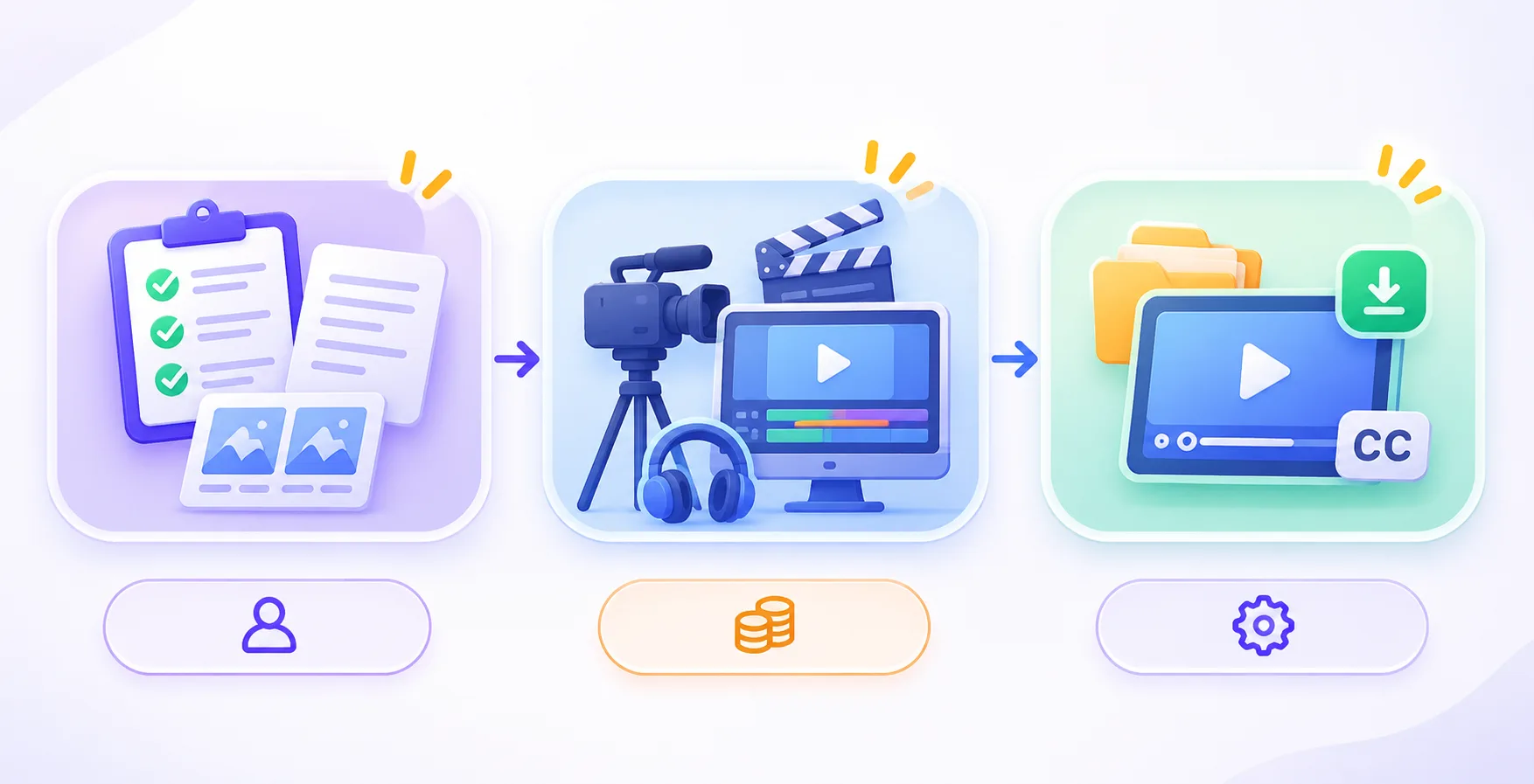
A video production company is a business that plans, makes and delivers videos for clients, covering the script, direction, filming or animation, editing, sound and final files under one agreement.
Unlike an AI video generator, which is software you operate, a production company supplies the people and the process. A creative agency often adds strategy and media buying around the video, while a production company concentrates on making it.
Its staffing model decides what you pay for, and there are three common models that differ in who manages the specialists.
Model | Who manages the specialists | What you pay for | Where it strains |
|---|---|---|---|
Fixed in-house team | The company | Capacity, whether or not your brief uses all of it | Fit, since the team is whoever the company employs |
Freelance marketplace | You | Each specialist separately | Your own time spent briefing and coordinating |
Casting bench | One producer | One project fee | Casting quality, so you should see each person's past work first |
A casting bench is the model we run. One producer owns the project and casts the director, editor and animator whose work matches your brief, so you get one point of contact and one invoice without a payroll between projects.
How the Video Production Process Works
Every stage of the six-stage process ends in a written approval before the next one starts.
Stage | Timing | What you approve |
|---|---|---|
Brief | Day 1 | A written scope covering what the video competes against and who signs off |
Cast | Days 2 to 4 | The director, animator and editor chosen for this brief |
Script | Weeks 1 to 2 | Two drafts, written against your sales calls and positioning |
Board | Weeks 2 to 3 | Style frames and a timed storyboard, before anything is animated |
Build | Weeks 3 to 5 | Production, sound and grade, with a rough cut at the halfway mark |
Deliver | Week 5 | Master file, cutdowns, captions and source project files |
The whole process runs about five weeks and needs about four hours of your time, and ownership of the work transfers to you on delivery.
What You Need to Provide to a Video Production Team
A production team needs one decision-maker, existing material and an honest deadline from you.
One decision-maker: Someone with the authority to approve a script without a committee.
Access to what exists: Product logins, brand guidelines if you have them, and recorded sales calls if you keep them. Nothing needs to be tidy.
An honest deadline: The date the video must be live, not a padded one.
A wrong turn surfaces at the script or the board, where it costs hours, and not after a full render.
AI Video Generator vs Production Company Cost
Cash cost favors a generator, at about $316 per video in the worked example below against $3,400 or more for a production team, until a mistake costs more than the gap.
Generator | Entry plan | Billed annually | Billed monthly | What the plan meters |
|---|---|---|---|---|
Synthesia | Starter | $14 a month | $19 a month | Video minutes, about ten a month |
HeyGen | Creator | $24 a month | $29 a month | Credits |
CoAnimator | Free | Free forever | Not applicable | No credit system |
Pictory | Starter | $25 a month | $29 a month | Video minutes |
Invideo AI | Plus | $17 a month, billed $200 yearly | Not confirmed | Credits |
CoAnimator also offers a one-time lifetime license. Avatar video, stock-matched video and prompt-built video come from different products, so a team that needs all three pays for each. Synthesia Starter, HeyGen Creator and Pictory Starter together cost $63 a month on annual billing, which is $756 a year, and adding Invideo AI Plus brings the total to about $80 a month.
A production team prices the outcome instead. We quote an explainer video from $3,400, a product demo video from $2,800 and a brand film from $9,000, each covering script, direction, editing and delivery. Paid social and UGC ads run $2,200 a month, and animation and motion work starts at $4,200. What each project type costs is laid out in our project pricing.
How to Calculate the Cost Per Finished Video
The cost of a generated video is the subscription share plus your review time plus any rework. Take this example, where the assumptions are placeholders for your own numbers. Four videos a month, $63 of tools and five hours of review and re-prompting per video at $60 an hour comes to $1,263 a month, or $315.75 per video.
That is far below $3,400, so a generator wins on cash cost for routine work. It stays cheaper until a mistake or a rework cycle costs more than the gap, which is about $3,100 per video in this example.
Subscriptions win the price comparison, so the question left is how much a miss would cost you.
AI Video Production vs Traditional Production Speed
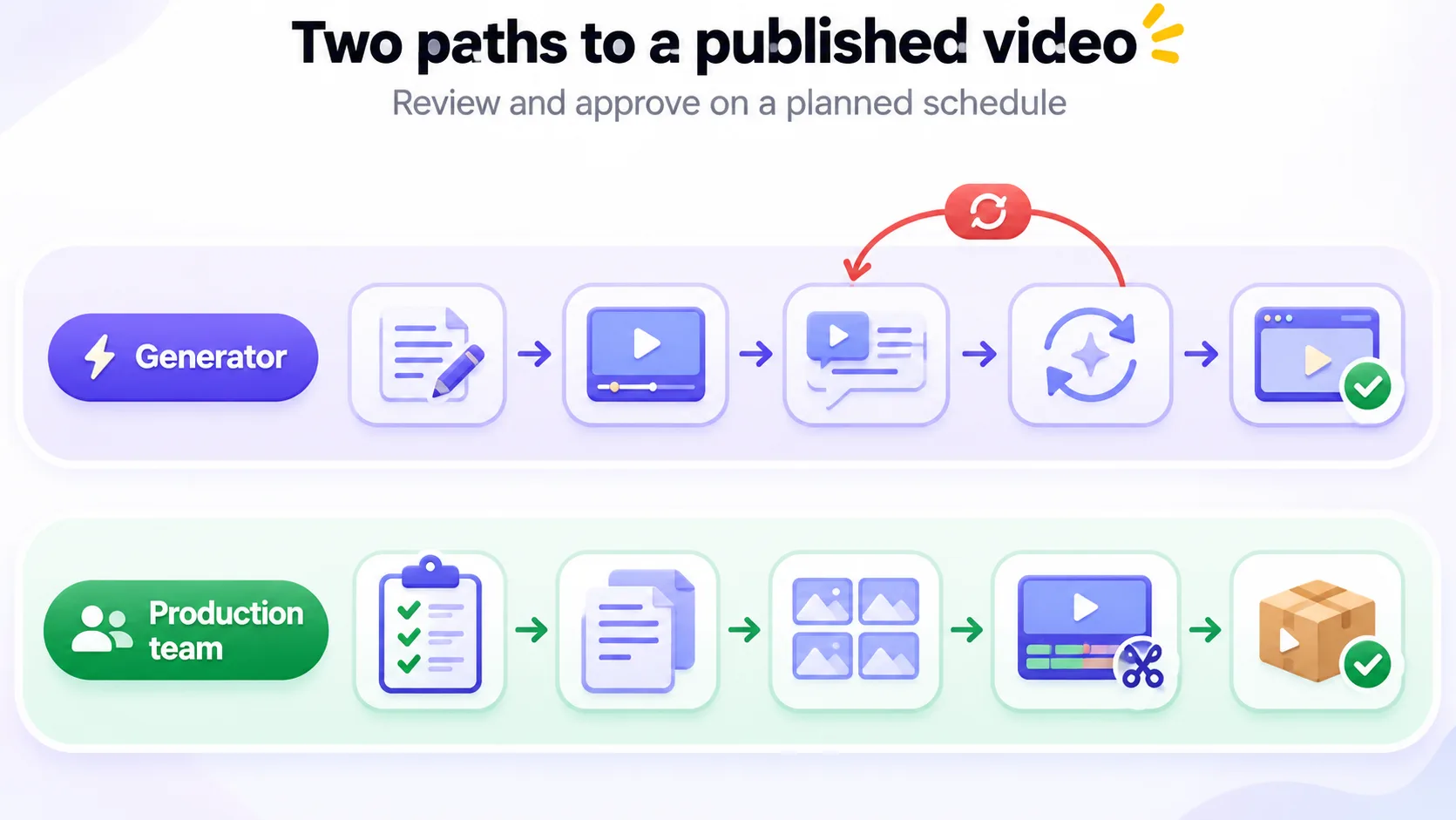
A generator reaches a first draft in minutes and a production team reaches a finished video in about five weeks, yet a generator's real pace is set by your review time.
A script becomes a rendered clip in minutes, but a video is published only after someone has reviewed it, fixed it and approved it. On a generator one person usually does all three, so your throughput equals that person's review hours and not the render queue. Retries also draw on a meter. Synthesia's Starter plan covers about ten minutes of video a month, so six attempts at one 60-second video use six of those ten minutes.
Here is one 60-second explainer video on both paths.
Step | Generator | Production team |
|---|---|---|
Brief and script | You write and revise the script | Brief on day 1, then two script drafts across weeks 1 to 2 |
Look and structure | Set by the model or template, adjusted by re-prompting | Style frames and a timed storyboard approved in weeks 2 to 3 |
First watchable cut | Minutes after you submit | Rough cut at the halfway mark of the build, within weeks 3 to 5 |
Revisions | Re-prompt, re-check and spend credits again | Notes on the rough cut and the final, inside defined rounds |
Published video | Whenever you decide it is right | Week 5, with captions, cutdowns and source files |
Work backward from your date. A launch with a fixed date needs the brief about five weeks earlier for a production team, and a generator needs the script plus a review buffer. A same-day announcement, such as a reaction to a release, belongs with a generator, and a launch film that carries your brand belongs with a team.
Count the days from brief to a video your approver has signed, and compare those.
Video Quality, Creative Control and Brand Accuracy
Quality is a set of failure types, and each one gets caught by a different person at a different time.
Failure type | What it looks like | On a generator | In the production process |
|---|---|---|---|
Interface or fact error | A button, menu or number that does not match your product | You compare every frame with the live product | Caught at the script approval and the rough cut |
Brand error | The wrong color, logo, voice or tone | You check the render against your brand guide | Caught at the storyboard, before anything is animated |
Claim error | A promise or statistic you cannot support | You trace each claim yourself | Caught at the written script approval |
Performance gap | A founder-led scene that feels synthetic | You re-prompt or change the format | Handled by casting and by direction during the build |
Technical gap | Wrong captions, crops or audio levels | You fix it in an editor | Caught at delivery, with cutdowns and captions |
The control you get differs too. On a generator it sits in the script, the prompt and your choice of avatar or voice, and frame-level direction is limited. In a production process it sits in the brief, the board and your notes on the rough cut. When an agent builds the video, as it does in CoAnimator, quality also depends on which agent you connect and how much direction you give it, and the editable project files let you change a single scene.
Interface errors cost the most in a product demo video, where viewers compare every screen with the real product, and performance gaps cost the most in a brand film, where a synthetic feel undercuts the message.
Run these five checks before you publish any generated video.
Interface: Compare each screen with the live product.
Claims: Match every number and promise to a source you can cite.
Brand: Check the logo, color, fonts and tone against your guide.
Captions: Read the captions against the audio.
Sign-off: Get the named approver's yes in writing.
A production team also flags any AI-generated footage in the handover, so you know what carries your brand.
Run the checklist every time yourself, or hand the job to a team that runs it for you.
Scalability and Video Production Volume
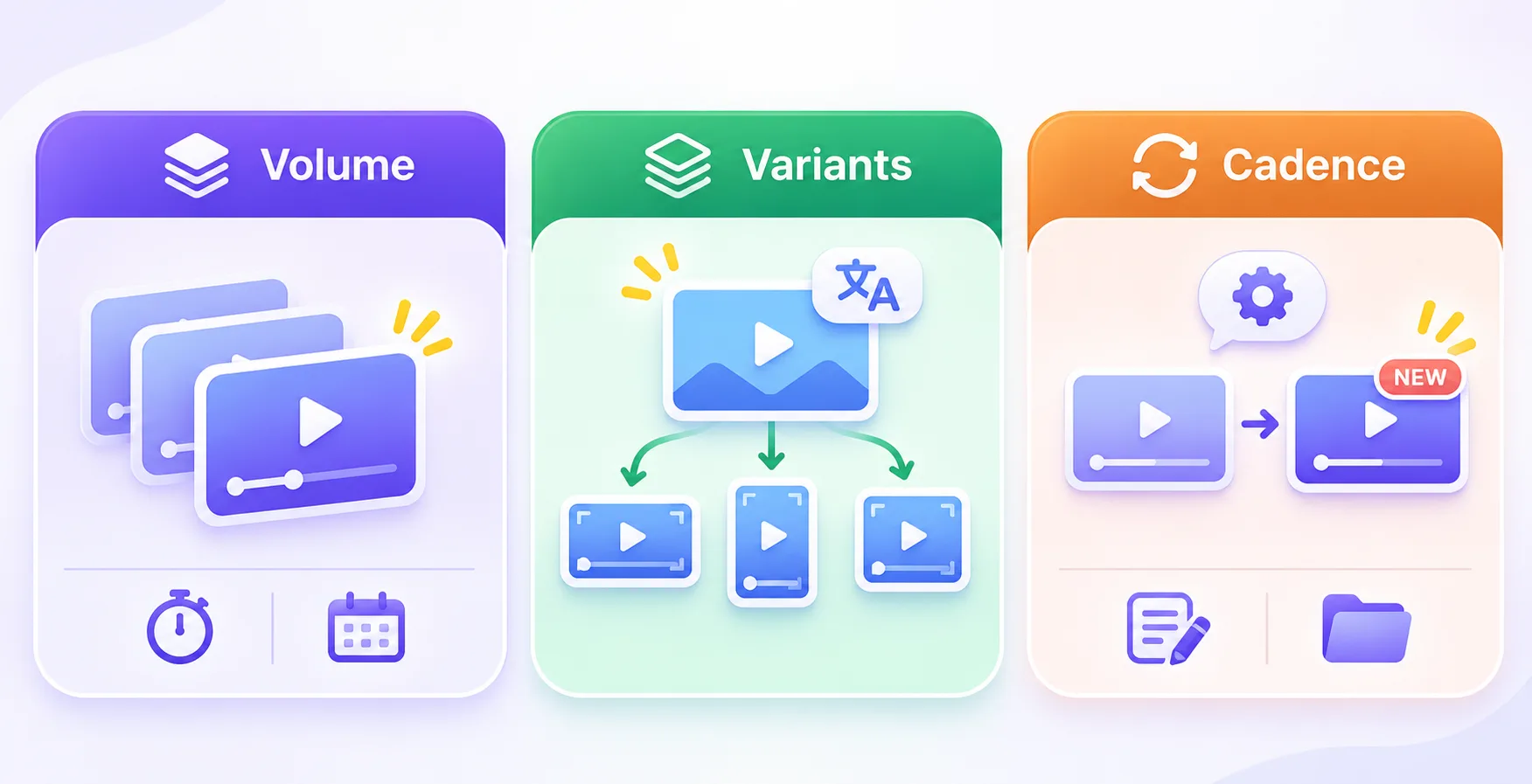
Scale means three different things, and each one has its own bottleneck.
Volume: Many different videos. On a generator the bottleneck is your review hours and the plan meter, and on a production team it is the stage schedule, which runs per project. For ongoing paid social and UGC ads, a retainer at $2,200 a month replaces per-video pricing.
Variants: One approved video in many forms, which is where generators are strongest. HeyGen translates across 175-plus languages, and because Synthesia meters output in minutes, ten one-minute language versions would use about a month of a Starter allowance if each version counts as a minute. Plan the resizes first, since an aspect ratio calculator shows whether a clip built for one platform crops cleanly for another.
Cadence: The same video updated as your product changes. This depends on whether you can edit the source. Script-driven and agent-built tools let you change one sentence or scene and re-render, and a production team delivers source project files, so the video can be reopened later.
Count your review hours before you count your credits.
AI Video Generator vs Production Company: Which Should You Choose?
Match the option to the video, using the four points from the start of this post.
Video | Better fit | What decides it |
|---|---|---|
Release-day announcement | Generator | Same-day speed matters and a miss costs little |
Training or onboarding video that changes monthly | Generator | Frequent script edits and low brand risk |
Paid social variants of an approved ad | Generator | Volume of hooks and resizes, with the master setting the message |
Localized versions of an approved video | Generator | Language coverage, since the message is already signed off |
Homepage explainer | Production team | It carries your positioning for every visitor, so a wrong argument costs the most |
Product demo of a live interface | Production team, or a recording-based tool | Every screen must match the live product |
Founder-led brand film | Production team | It needs direction and an authentic performance |
Video with regulated or contractual claims | Either, with written claim review | The claim review carries the risk, not the tool |
If you are unsure whether you need a demo or an explainer first, the difference between a product demo and an explainer video decides the format.
The right pick follows from the video, so choose the video first.
How to Decide in Five Steps
Decide by putting a number on a mistake first, then compare it with the gap between a tool and a project fee.
Put a number on a mistake: Add three costs, the hours to fix and republish, any paid media already running behind the video, and any legal or compliance re-review. If the total beats the gap between tools and a project fee, which is about $3,100 in the cost example, hire a team.
Name the approver and cap the rounds: One person signs off, and you agree up front how many revision rounds exist. A production team's rounds are defined, and on a generator you set your own limit so re-prompting ends.
Time the script: A script runtime calculator shows the length, and length decides which plan you need on generators that meter minutes.
Storyboard first: A storyboard turns the script into timed scenes, and fixing a scene on paper costs less than regenerating it or re-shooting it.
Run one low-stakes test: Generate a throwaway video, log your review hours and rework, and put those numbers into the cost formula.
A test costs you a month of a subscription, and it replaces a guess with your own number.
Agent-Directed Generation Trades One Gap for Another
The cost of making a video is falling, and the cost of publishing a wrong one is not.
In the cost example above, review time is already $1,200 of the $1,263 monthly total, and we expect cheaper generation to widen that share. Generators will keep absorbing first drafts, animatics and variants, and production teams will concentrate on the work that is costly to get wrong.
As the tools converge, two questions will separate your options, who is accountable for the final frame and who owns what ships. Ask both of every tool and every producer you consider. A producer should explain how generated footage enters the process and where it is disclosed, and a generator plan should state who holds the rights to the output.
When the final frame carries your brand in front of customers, send a brief with a rough idea and a deadline, and you will get a written scope, a number and a schedule.
Written by the AllCapStudio team. We publish what we would tell you on a call, which occasionally costs us the project.
Read next
All articles- Journal6 Best Tutorial Video Maker Tools for SaaS (2026)Compare the 6 best tutorial video maker tools for SaaS onboarding in 2026, including pricing, features, limitations, and best use…
- Journal8 Best Free Image-to-Video AI Tools: Clips, Limits and Quality8 best free image to video AI tools compared by clips, quality, watermarks and commercial use. See which free plan fits your…
- JournalShort-Form Video Marketing: How to Turn One Shoot Into a Content SeriesShort-form video production stacks scripting, casting, a shoot day, the edit, captions, exports in 9:16 and 4:5, and every round of…